
This gadget allows you to display logged time aggregated by a certain field per day, week, or month.
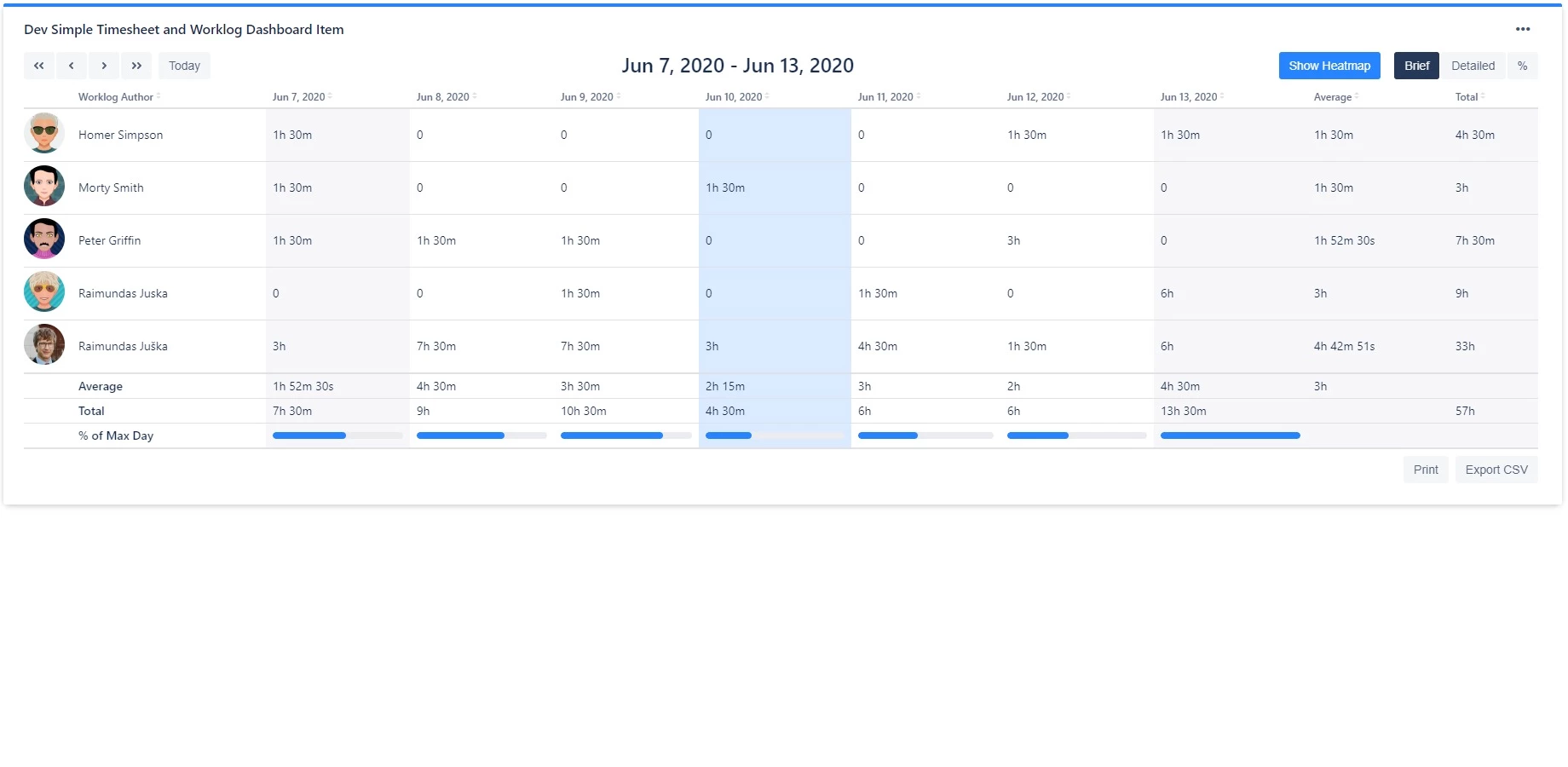
Display logged time per day/week
The gadget will show the aggregate time logged per day if used in this mode.
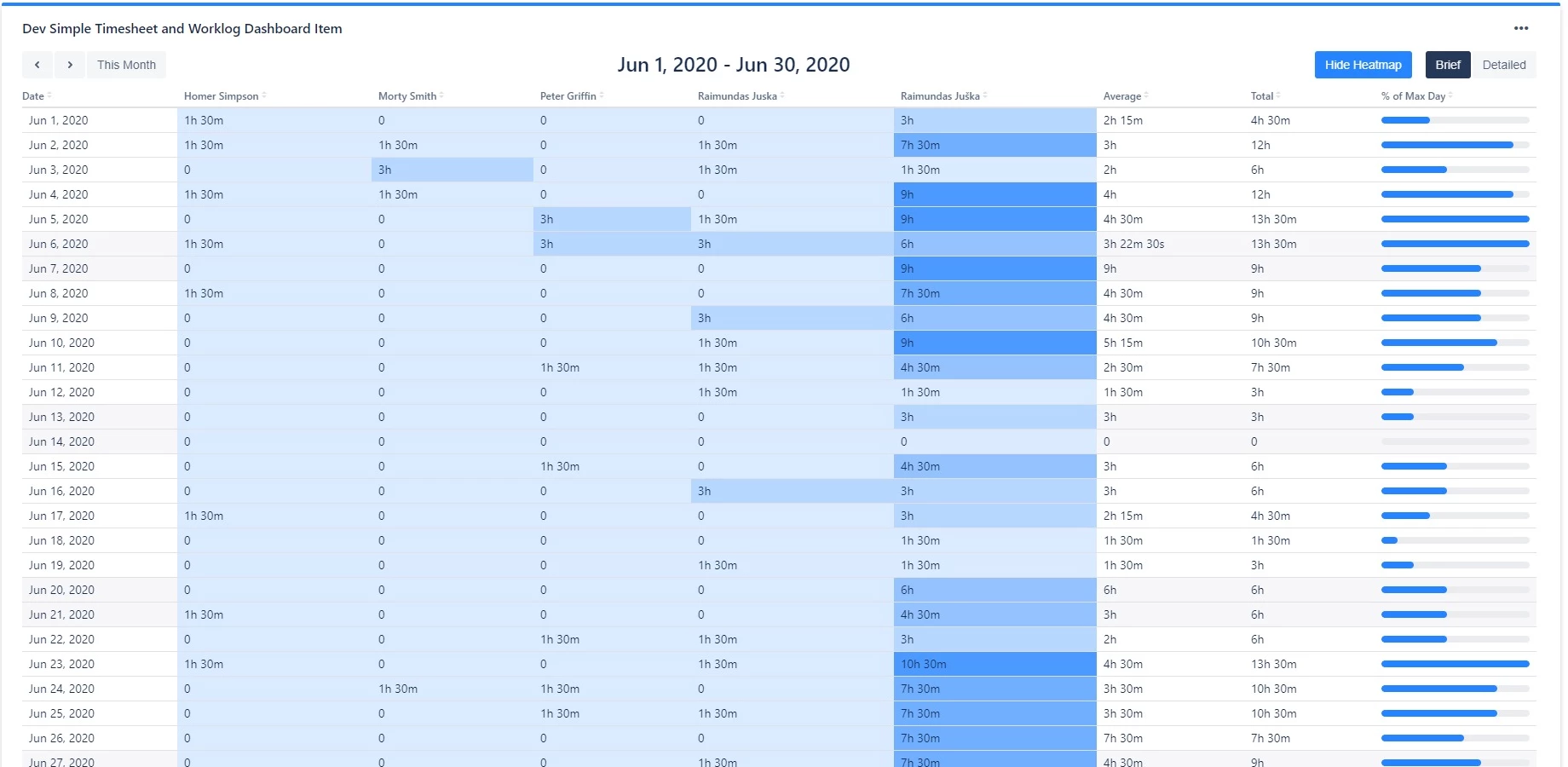
Display logged time per month
In this view, a full current month is displayed.
View modes
The gadget supports three view modes, toggled via buttons above the report:
-
Brief - shows summarized time data
-
Detailed - shows expanded time data with individual work item entries
-
Percentage - shows time logged as a percentage of working time. Only available when grouping by Worklog author, Assignee, Creator, or Reporter in daily/weekly view.
Heatmap
Toggle the "Show Heatmap" button to overlay a 5-level color gradient on the time cells, making it easy to spot high and low activity at a glance.
Time navigation
Use the navigation buttons to move through time periods:
-
Daily/weekly view: Previous week, Previous day, Next day, Next week, Today
-
Monthly view: Previous month, Next month, This Month
Column sorting
Click any column header to sort the table by that column.
Loading many worklogs
Work items with more than 20 worklogs need extra requests to load all of their worklogs. While these load, the progress bar shows "Loading worklogs x / y".
If some of these requests fail, the worklogs already loaded are kept and a notice lists the affected work items: "Worklogs could not be fully loaded for ...; their logged time is incomplete." Click Reload to try again.
Action buttons
The gadget includes the following action buttons:
-
Print - print the gadget