
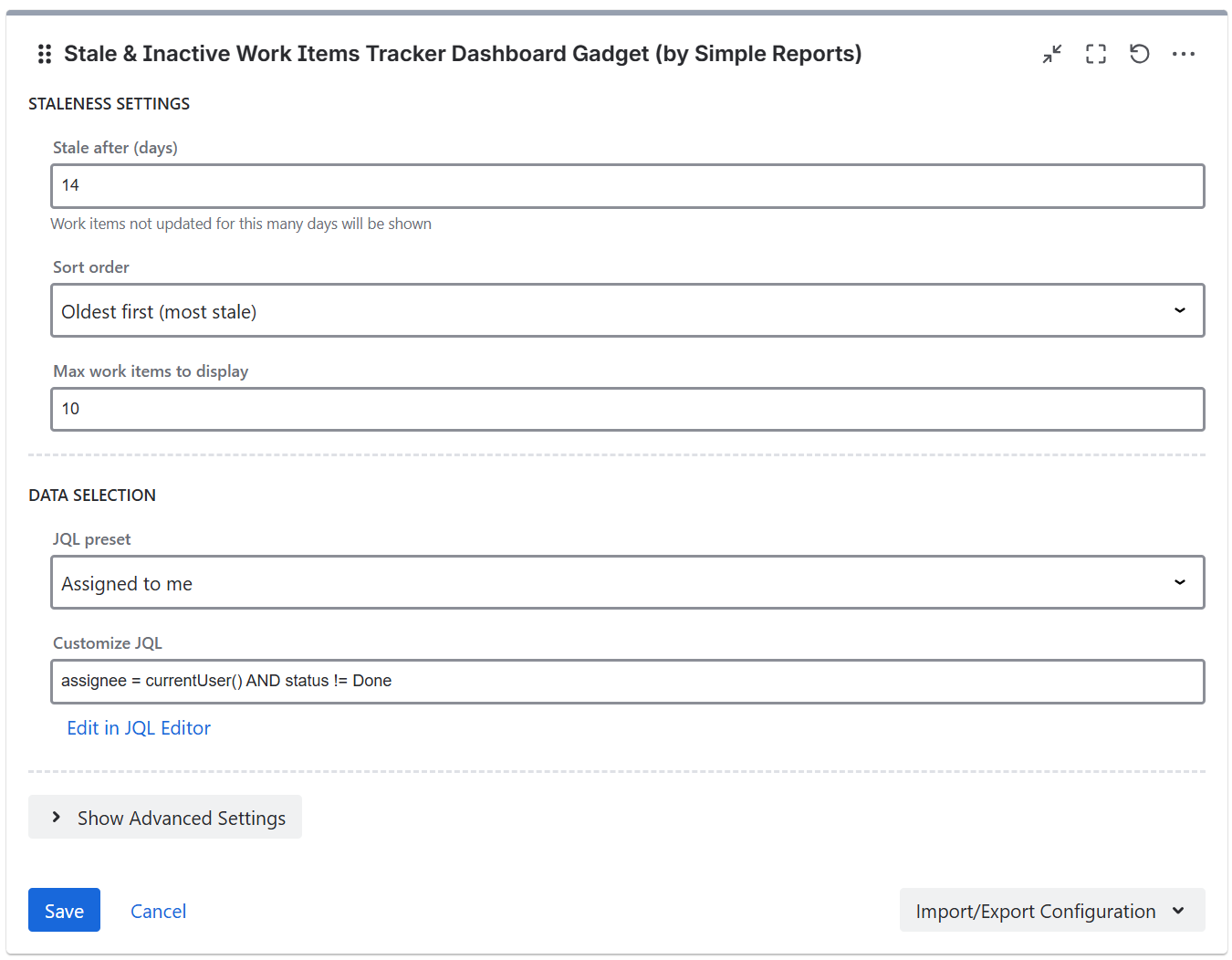
Staleness settings
-
Stale after - the number of days after which a work item is considered stale (1-365, default 14)
-
Sort order - oldest first or newest first
-
Maximum items - the maximum number of items to display (1-100, default 10)
Threshold settings
-
Warning threshold - the number of days after which the age indicator turns yellow (default 21)
-
Critical threshold - the number of days after which the age indicator turns red (default 30)
The warning threshold must be lower than the critical threshold.
JQL filter

Data supplied to the app can be filtered using JQL filters, with the gadget supplying some JQL presets including: assigned to me, open work items in space, unassigned work items, high priority work items, custom JQL, and saved Jira JQL filters.
If you are running Jira Cloud and want to use Adaptavist ScriptRunner JQL functions you should save them and use them as synchronized filters instead via JQL - filter = "enter name or id of the filter"
Import/Export Configuration
Use the Import/Export option in the gadget footer menu to save or restore gadget configuration as a JSON file. This is useful for duplicating gadgets or transferring settings between dashboards.