
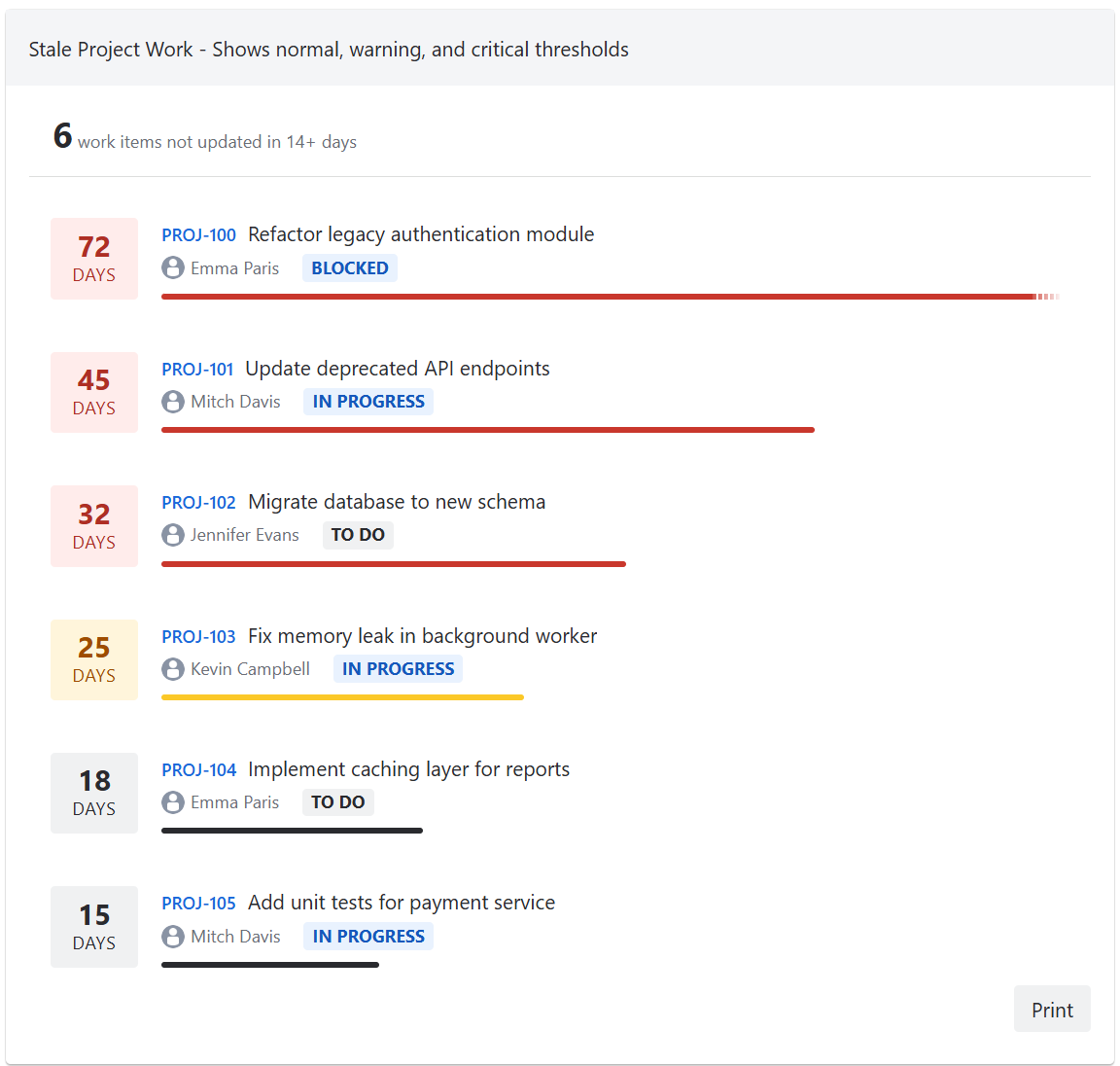
The gadget lists work items that haven't been updated for a specified number of days, with color-coded age indicators. This is useful for identifying abandoned or inactive work.
Display information
Each work item in the list shows:
-
Days stale - with color-coded indicator (normal, warning, critical)
-
Issue key - clickable link to the work item in Jira
-
Summary
-
Assignee with avatar (or "Unassigned")
-
Status badge - color-coded by status category
-
Visual age bar
Age indicators
Work items are color-coded based on configurable thresholds:
-
Normal (gray) - item is stale but below the warning threshold
-
Warning (yellow) - item has exceeded the warning threshold
-
Critical (red) - item has exceeded the critical threshold
Sort order
The list can be sorted by:
-
Oldest first - shows the most stale items at the top
-
Newest first - shows recently stale items at the top
Action buttons
The gadget includes the following action buttons:
-
Print - print the gadget