
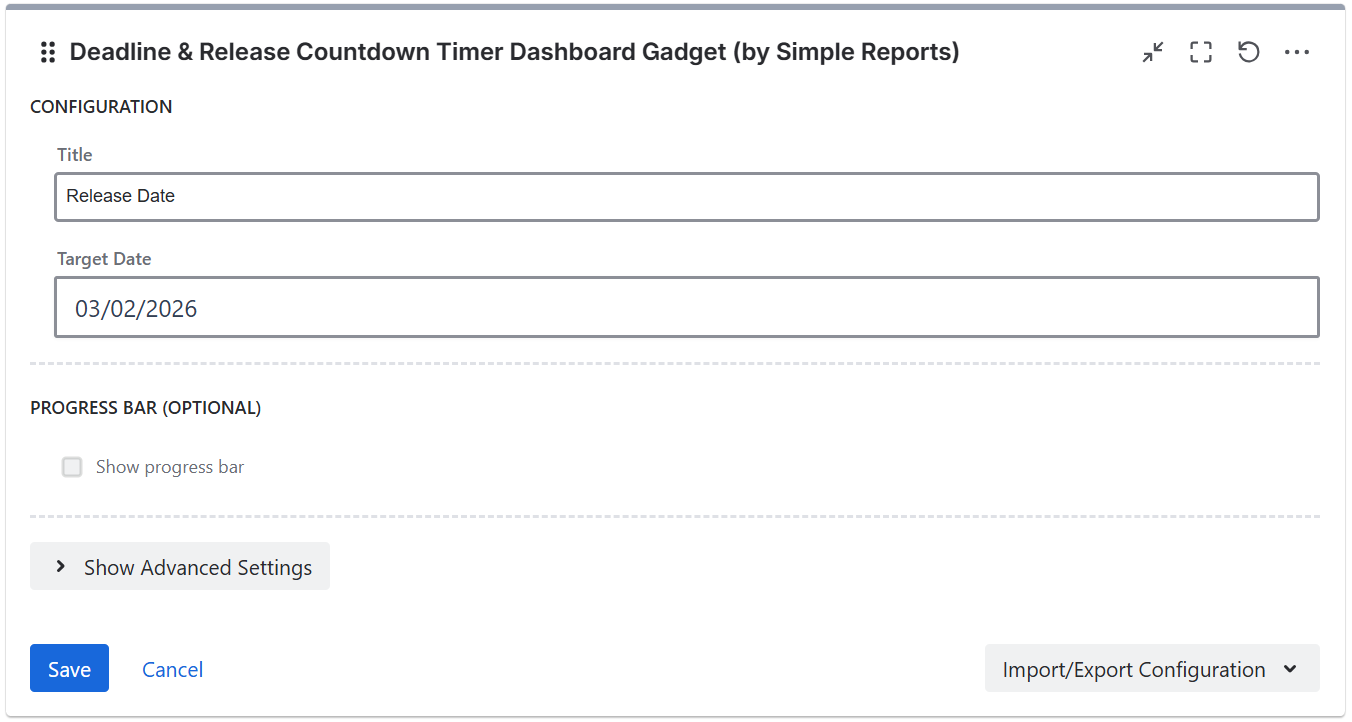
Title - the countdown title displayed above the timer (e.g. "Release 2.0").
Target date - the deadline date to count down to.
Progress bar
Enable the progress bar to show a visual indicator of elapsed time:
-
Show progress - enable or disable the progress bar
-
Start date - the start date for progress calculation (optional, defaults to 1 month before target date)
Display settings
-
Show time - show hours and minutes in the countdown in addition to days
-
Date format - choose how the target date is displayed:
-
Long date (e.g. "January 23, 2026")
-
Short date (e.g. "Jan 23, 2026")
-
DD/MM/YYYY
-
MM/DD/YYYY
-
YYYY-MM-DD
-
Import/Export Configuration
Use the Import/Export option in the gadget footer menu to save or restore gadget configuration as a JSON file. This is useful for duplicating gadgets or transferring settings between dashboards.