
The gadget displays a clear visualization and overview of how the space, epic, sprint, or other work is progressing.
2 main types of gadgets are available:
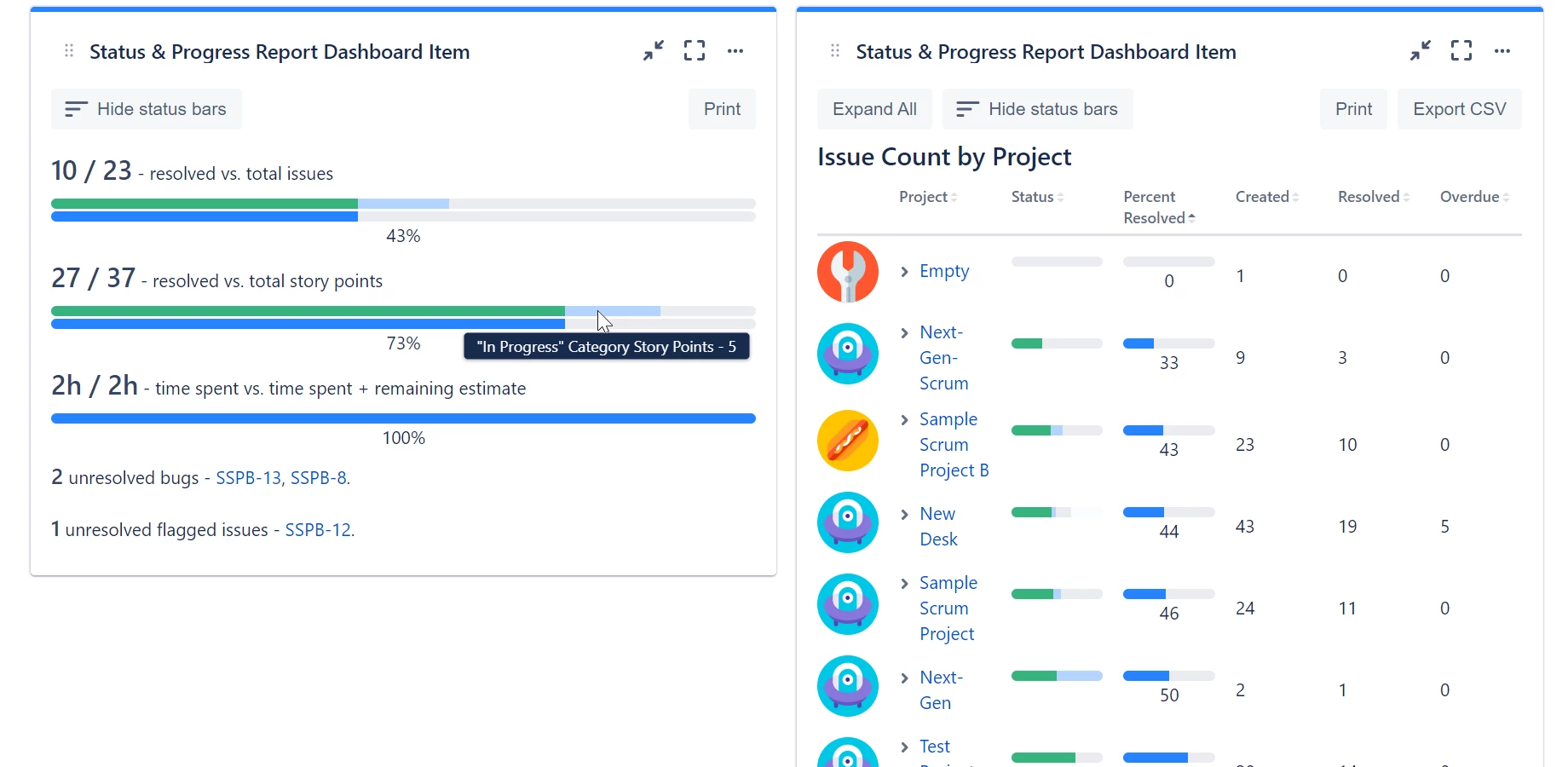
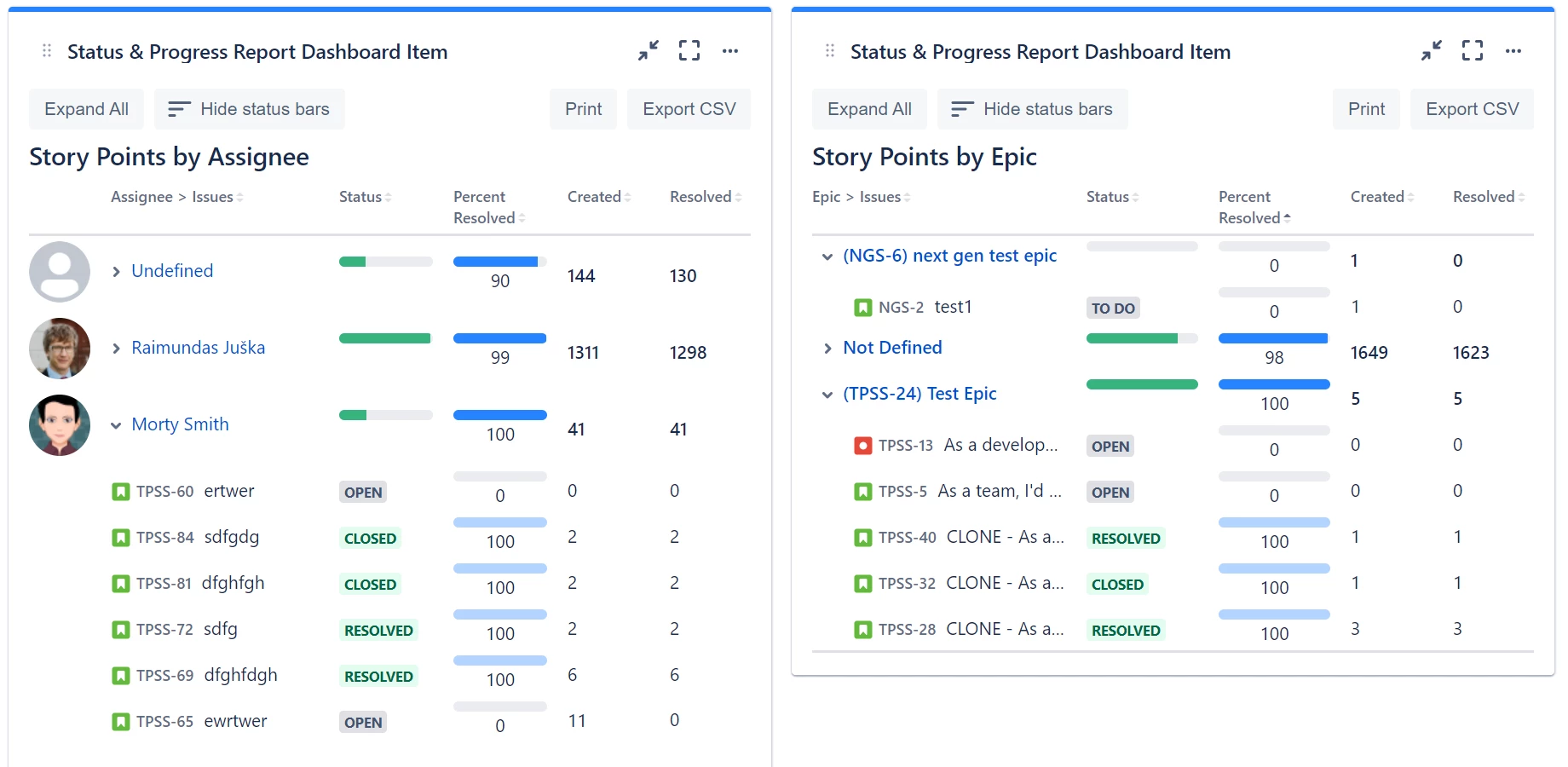
-
Overview dashboard gadget (general overview of space status) - top-left gadget
-
Breakdown dashboard gadgets (progress breakdown by Assignee, Space, Sprint, Epic, Work Item Type, Priority, Status, Fix Version/s, Team, Creator, Reporter, Work Item Key, Components, Labels, Work Item Key + Summary, or custom fields)
Estimation types
All dashboard gadgets support all 3 types of estimations:
-
work item count
-
story points
-
time tracking
The overview dashboard gadget shows all estimation types simultaneously.
Overview report
The overview dashboard gadget displays how many work items are resolved and in a certain status.
The overview dashboard gadget also shows overdue, due this week, high/higher priority, incidents, problems, bugs, flagged, blocked, and blocking work item counts and lists.
Breakdown gadget
The breakdown gadget displays the same information as the above Overview dashboard gadget, but this information is broken down by selected metric (e.g. assignee, space, sprint, or other).
Breakdown dashboard gadgets must be configured to use only one estimation type. Breakdown gadgets show overdue counts when grouping by Assignee or Space, when using work item count estimation, and when overdue items exist.
Action buttons
Breakdown gadgets include the following action buttons:
-
Sort breakdown results - sort by Percent Resolved, Created count, or Resolved count (ascending or descending)
-
Color coding toggle - cycle between no color, status category bars, and RAG (Red/Amber/Green) coloring
-
Export CSV - export breakdown data to a CSV file
-
Expand/Collapse All - bulk toggle for grouped rows
-
Print - print the gadget