
Use these settings to further customize your gadget:
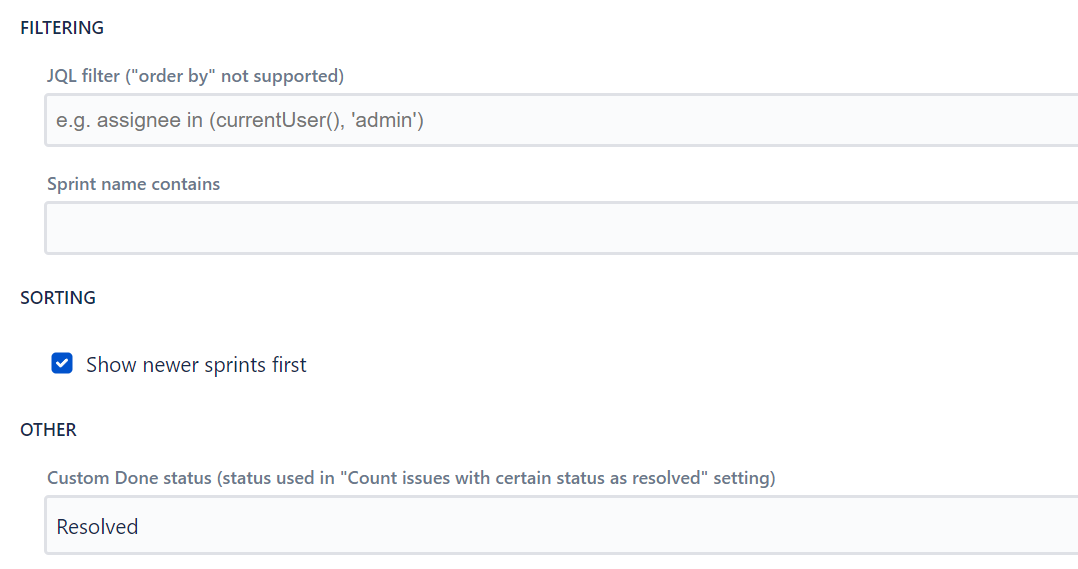
-
JQL filter allows entering a JQL filter to filter down the data that this gadget is using.
-
It is also possible to filter by sprint names if you are using a consistent sprint naming scheme.
-
Show newer sprint first - defines where new sprints are shown first or last in the sprint list.
-
Custom Done status - select status if you are using Status as a completed metric, instead of Resolution. Please make sure to check the "Count work items with certain status as resolved" checkbox too.
-
Sort individuals - sort individual velocity entries by: Alphabetically, Committed ascending, Committed descending, Completed ascending, or Completed descending.
-
Date format (Kanban) - customize the date display format for kanban intervals using Moment.js format.
-
Story Points field - select the Story Points field to use. Auto-detect is the default, or you can specify a custom numeric field.